Change a sofa's colour in a photo
You have one good photo of a sofa and a dozen fabrics it comes in. Here is how to show every one of them without reshooting anything.
If you sell upholstered furniture, you know the gap. The sofa comes in twelve fabrics, the product page shows two, and the rest are a strip of small unphotographed swatches. Customers are asked to imagine the oatmeal linen version from a thumbnail and a customer who has to imagine tends to hesitate.
Recolouring the photo you already have closes that gap without a studio booking. Below: how the material swap works in SwatchSwap, what it costs in credits, and an honest look at the other ways to do the same job.
Three steps
- Upload the product photo you already have. Any well-lit listing photo works — the shot from your current product page is usually enough. The material swap keeps the original background, so the result drops straight back into your listing.
- Add the material swatch. Upload a flat photo or scan of the fabric or leather you want to show. The swap follows your real swatch rather than a colour name, so the result tracks the actual fabric you sell.
- Generate and download the HD image. A full HD generation costs 5 credits and comes back as a high-resolution PNG, cleared for commercial use in listings, catalogs and presentations. If a run fails, your credits are refunded automatically.
Repeat per fabric, or batch the whole range in one run on Pro. Material swap is one of several tools remove background, environment scenes and swatch-driven refinements are covered on the tools page.
What a swap looks like
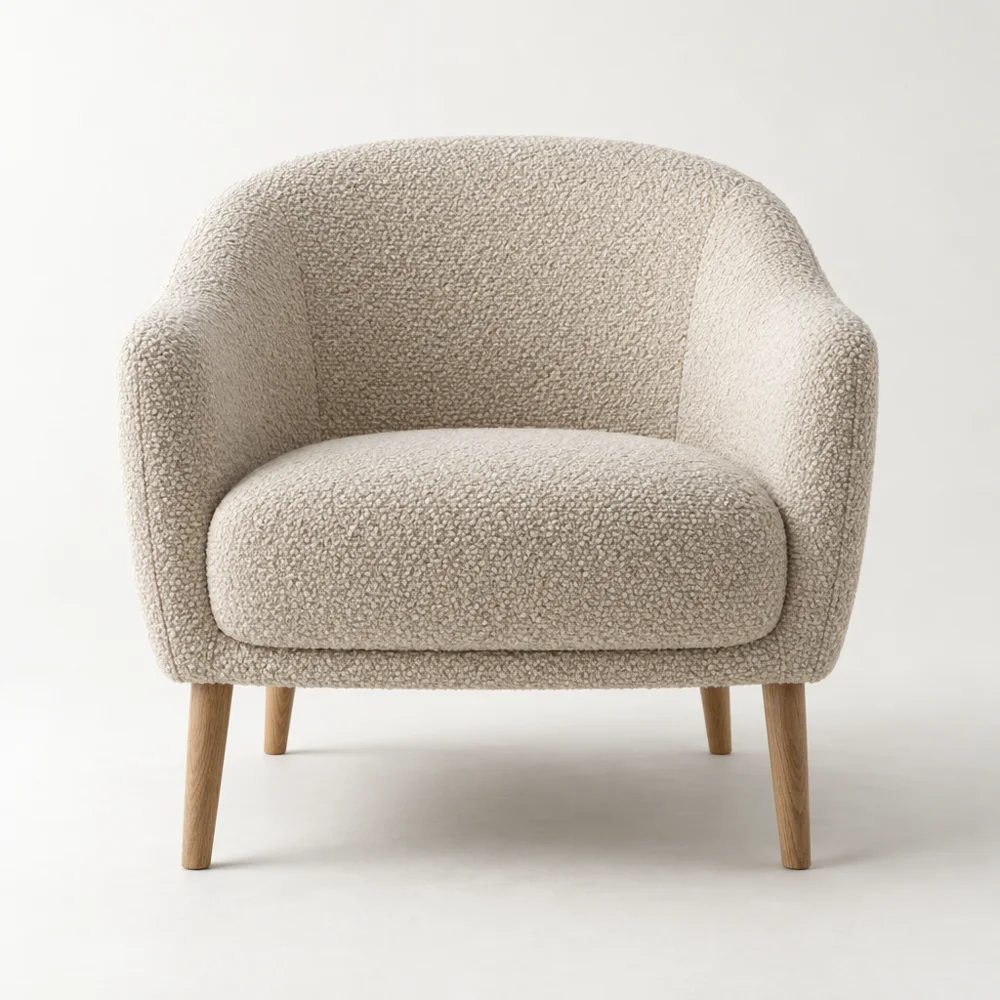
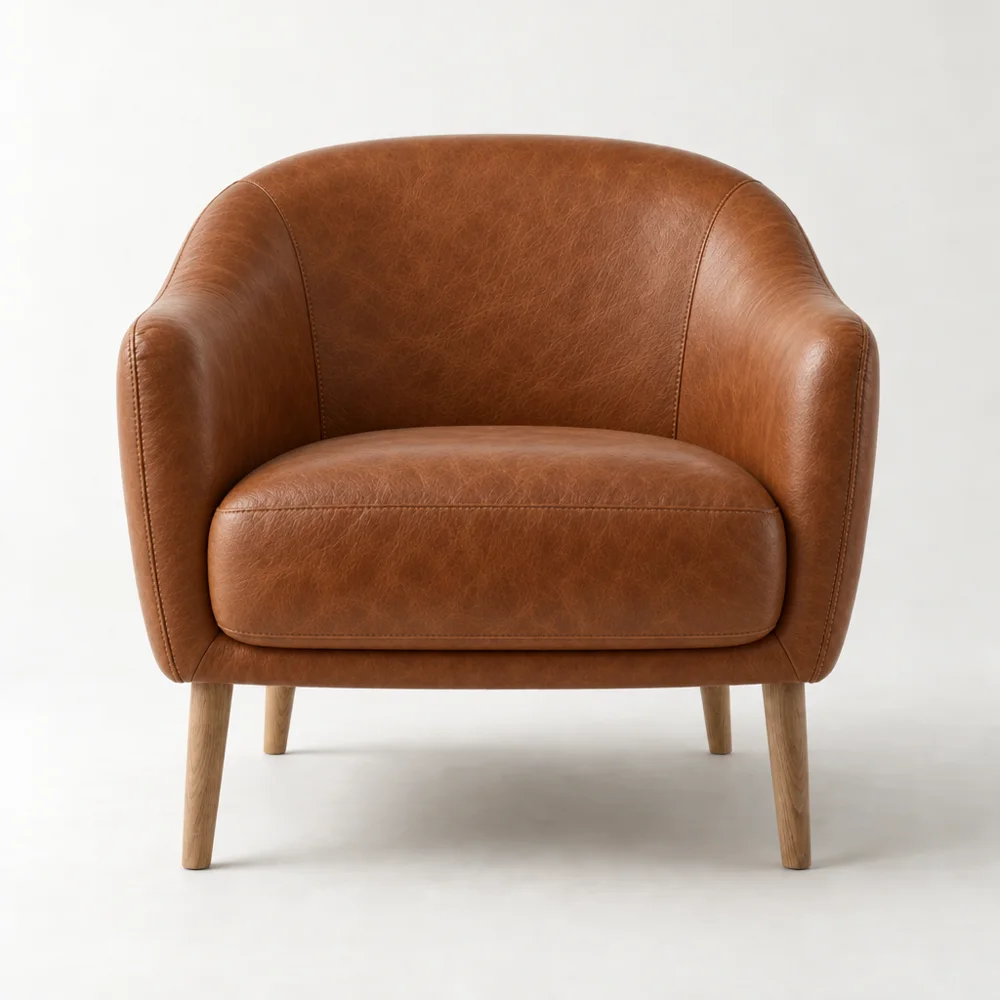
This is a real before/after pair from the tool: the same tub chair, first in its original upholstery, then rendered in a different material.
Three ways to recolour a sofa photo
Recolouring an existing photo is not new retouchers have done it by hand for years. What differs is the effort per image and how much of the product survives the edit.
| Method | How it works | What to watch for |
|---|---|---|
| Manual Photoshop recolour | Mask the upholstery by hand, shift hue and saturation, rebuild highlights and shadows. | Skilled, manual per-image retouching. A hue shift changes colour but not texture — corduroy stays corduroy even when the new fabric is leather. |
| General generative fill | Prompt a general-purpose AI image tool to repaint the sofa. | Fast, but general models tend to redraw the piece itself: proportions, legs and stitching can drift, and two runs rarely match. |
| SwatchSwap material swap | Upload the photo and a real swatch; the model changes only the material. | Geometry, proportions, stitching, buttons, legs and perspective are locked. Output is an HD PNG, at 5 credits per image. |
If you are weighing recolouring against reshooting each colourway or building 3D models, we have written a fuller comparison: photoshoot vs 3D vs AI. And if you run a shop, SwatchSwap for furniture webshops covers where visualisation fits in a listing workflow.
Frequently asked questions
Does it keep the shape and stitching?
Yes. Geometry, proportions, stitching, buttons, legs and perspective are locked only the material changes. The result is the same sofa in the same photo, with a different fabric.
How accurate is the colour?
The swap is driven by the swatch you upload, so the closer your swatch photo is to the real fabric, the closer the result. If a colour reads slightly warm or cool, you can refine it with a short text instruction or a reference image. Failed runs are refunded automatically.
Can I do a whole range at once?
On the Pro plan, yes. Pro batches up to 25 images at a time, so one sofa photo can come back in a full fabric range from a single run. On Starter and the free trial, images are generated one at a time.
Try it on your own photo
The free trial includes 5 credits enough for one full HD image and requires no credit card. Paid plans start at $49/month for 50 credits; the details are on the pricing page. Your uploads are used only to generate your results, never to train AI models.